Fortinet 2026 State of Operational Technology and Cybersecurity

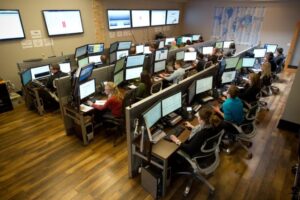
OT security maturity is less about how many tools you deploy and more about how well they work together.
The 2026 State of Operational Technology and Cybersecurity Report, based on a survey of more than 700 OT professionals worldwide, shows what separates those organizations from the ones reporting fewer incidents.
For benchmarks and best practices you can apply to your own environment, download the report. 🔒 @Fortinet #Fortinet

Read More »

AI Coding on Your Terms

Adding AI to your workflow shouldn’t mean giving up control of your code or your data.

See how @JetBrains AI pairs AI Assistant for everyday coding with Junie, an agent that plans, writes, and tests code across files, and both keep developers in control while protecting your code from model training. 🤖

Read More »

Microsoft Copilot: Your AI companion

Finding the right work to delegate to AI is harder than delegating it.

Open Copilot and try this prompt:

“Act as my AI executive advisor and identify opportunities where Copilot Cowork can help me lead more effectively, reduce administrative work, and focus on strategic growth.” 💡

@Microsoft Copilot

Read More »

All Products Pack Whitepaper

Buying developer tools one license at a time can inflate your software spend and slow teams that work across many languages.

The Extended All Products Pack whitepaper breaks down how a single JetBrains subscription covers 10 AI-powered IDEs, 3 extensions, 2 profilers, and JetBrains AI Pro, with the security, compliance, and cost savings enterprise buyers look for.

Download the whitepaper and see how ClearPath IT & Security CORP can consolidate your toolchain. 📊 @JetBrains

Read More »

Copilot Cowork overview

There’s a difference between an assistant that tells you what to do and one that does it.

Microsoft 365 Copilot Cowork sends emails, schedules meetings, creates files, and automates recurring work across Microsoft 365, pausing for your approval before sensitive actions. ✅

Read this blog post to see how Cowork executes multi-step work while you stay in control. @Microsoft Copilot

Read More »

Click to Do

Your workforce needs to move quickly, and small inefficiencies can slow momentum. This demo video shows how Click to Do on Copilot+ PCs analyzes what’s on screen so you can select text or images and take action instantly. Watch the video to see how this AI feature can simplify everyday tasks and help your employees move faster.

Read More »
Help Desk Chat
Scroll to Top